

A website is more than an online presence for a business. It is a digital platform that helps attract customers, generate leads, showcase services, process transactions, and build brand credibility. However, launching a website is only the beginning. Keeping it secure, updated, functional, and performing well requires consistent maintenance.
As technology evolves and online security threats become more sophisticated, businesses cannot afford to ignore website maintenance. Outdated software, broken forms, expired SSL certificates, missing backups, and performance issues can affect customer experience and business operations.
Whether you operate a WordPress website, Shopify store, or custom web application, following a structured website maintenance checklist can help prevent technical problems and protect your digital investment.
In this guide, we explore the essential website maintenance tasks every business should prioritize in 2027.
Why Is Website Maintenance Important for Businesses?
Regular website maintenance helps ensure that your website continues working as expected after launch. It involves monitoring performance, applying software updates, protecting sensitive information, checking functionality, and resolving technical issues.
Without proper maintenance, even a professionally developed website can become vulnerable to security problems and unexpected downtime.
Here are some important reasons why businesses should prioritize website maintenance:
- Improved website security: Regular updates and security checks help reduce vulnerabilities.
- Better website performance: Monitoring and optimization help maintain a smooth browsing experience.
- Data protection: Reliable backups provide recovery options when something goes wrong.
- Improved user experience: Functional navigation, forms, and checkout processes help visitors complete their desired actions.
- Long-term reliability: Preventive maintenance can identify problems before they become major disruptions.
Website maintenance is not simply about fixing problems. It is about keeping your website dependable as your business grows.
10 Essential Website Maintenance Tasks for 2027
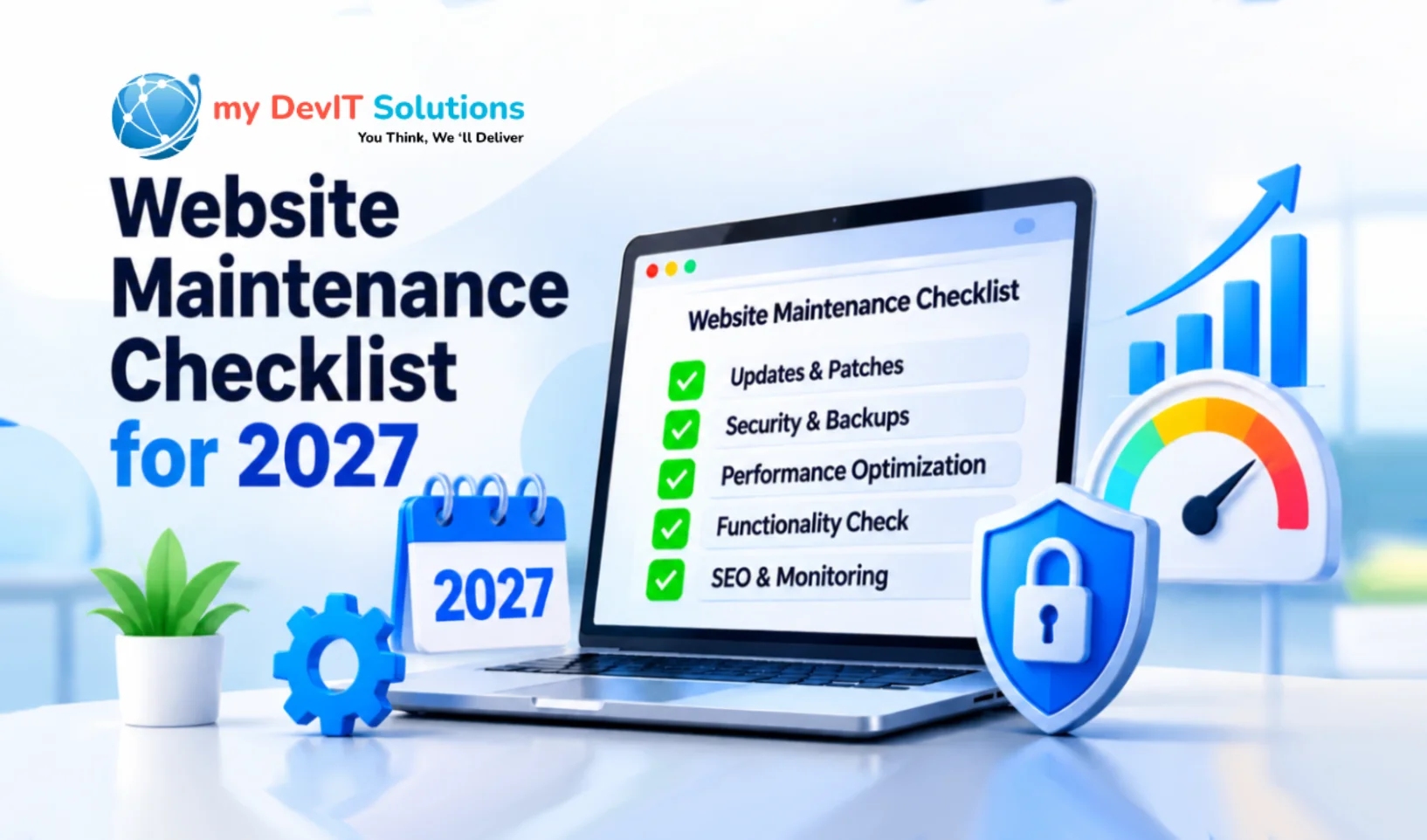
A comprehensive website maintenance checklist should cover security, performance, functionality, content, and infrastructure.
1. Update Your CMS, Themes, and Plugins
If your website uses WordPress, regularly updating the core platform, themes, and plugins is essential.
Outdated software may contain security vulnerabilities, compatibility issues, or bugs that affect website functionality.
Recommended actions include:
- Check for WordPress core updates.
- Update installed plugins and themes.
- Remove unused or abandoned plugins.
- Review update compatibility before applying major changes.
- Test important website functionality after updates.
Although automatic updates can reduce manual work, they should not replace proper testing and backup procedures.
2. Perform Regular Website Backups
A website backup is one of the most important elements of website maintenance.
Unexpected server failures, accidental deletions, malware infections, or unsuccessful updates can cause data loss. Having a recent backup makes recovery easier.
Your backup strategy should include:
- Complete website file backups.
- Database backups.
- Off-site or separate backup storage.
- Automated backup scheduling.
- Periodic restoration testing.
| Website Type | Suggested Backup Frequency |
|---|---|
| Basic business website | Weekly, with additional backups before major changes |
| Business website with frequent updates | Daily |
| eCommerce website | Daily or more frequently, depending on transaction activity |
| Custom web application | Based on data changes and recovery requirements |
The ideal backup frequency depends on how frequently your website content and business data change.
Remember: a backup is only useful if it can actually be restored.
3. Monitor Website Security
Website security should be an ongoing priority rather than an occasional task.
Businesses should regularly review their security configuration to identify suspicious activity, outdated software, unauthorized access, and potential vulnerabilities.
Important security practices include:
- Use strong passwords and multi-factor authentication.
- Limit administrator access to authorized users.
- Install security updates promptly.
- Enable HTTPS using a valid SSL/TLS certificate.
- Monitor suspicious login attempts.
- Scan for malware and unauthorized file changes.
- Remove unnecessary user accounts and permissions.
Businesses using WordPress can also follow our guide on how to secure your WordPress website to understand additional ways to protect their websites.
For WordPress websites, security plugins can provide additional monitoring and protection features. However, a plugin alone cannot replace secure hosting, proper access controls, and regular maintenance.
4. Check Website Speed and Performance
Website speed influences how visitors interact with your business online. Slow pages can create frustration, interrupt purchasing journeys, and discourage potential customers.
Performance maintenance should include:
- Compressing and optimizing images.
- Reviewing unnecessary JavaScript and CSS.
- Implementing appropriate caching.
- Reducing unnecessary third-party scripts.
- Checking server response times.
- Reviewing Core Web Vitals.
Google’s Core Web Vitals include three important user experience measurements:
| Metric | What It Measures | Good Threshold |
|---|---|---|
| LCP | Loading performance | 2.5 seconds or less |
| INP | Interaction responsiveness | 200 milliseconds or less |
| CLS | Visual stability | 0.1 or less |
These thresholds are assessed at the 75th percentile of page visits. Businesses can use Google PageSpeed Insights and Search Console to identify performance opportunities.
Businesses looking to improve their website speed can explore professional website performance optimization services to identify and resolve performance bottlenecks.
5. Test Website Forms and Important Features
A website may appear visually perfect while important functionality is broken.
For example, a contact form might stop delivering emails, a booking form may fail to submit, or an eCommerce checkout could develop a payment issue.
Regularly test:
- Contact and inquiry forms.
- Registration and login functionality.
- Search functionality.
- Shopping carts and checkout processes.
- Payment gateway integrations.
- Booking and appointment systems.
- Newsletter subscriptions.
- Important navigation links.
For businesses that depend on online inquiries or sales, functionality testing should be a high-priority maintenance activity.
6. Review SSL Certificates and Domain Renewals
An expired SSL/TLS certificate can cause browser security warnings and interrupt visitor trust.
Similarly, an expired domain registration can make your website inaccessible.
Maintain a record of:
- Domain renewal dates.
- SSL/TLS certificate expiration dates.
- Hosting subscription renewals.
- DNS configuration.
- Business email service renewals.
Set renewal reminders well before expiration to avoid unnecessary disruptions.
7. Check Broken Links and Website Errors
Broken links can frustrate visitors and make it harder for them to navigate your website.
During routine maintenance, review:
- Internal links.
- External links.
- Missing images.
- 404 error pages.
- Redirect chains.
- Broken navigation elements.
Fix incorrect links, redirect outdated URLs where appropriate, and ensure important pages remain accessible.
8. Review Website Content and SEO Elements
Website maintenance also involves keeping information accurate and useful.
Outdated service descriptions, incorrect contact details, old pricing information, and irrelevant content can reduce customer confidence.
Review the following:
- Page titles and meta descriptions.
- Outdated service information.
- Contact information and business details.
- Image alt text.
- Internal linking.
- XML sitemap accessibility.
- Search Console indexing and crawling issues.
Content updates should improve usefulness and accuracy rather than simply changing publication dates.
9. Check Hosting and Server Health
Your hosting environment plays an important role in website reliability.
A website may experience performance or compatibility problems when its server resources are insufficient or its software becomes outdated.
Review:
- Available server storage.
- CPU and memory usage.
- PHP or application runtime versions.
- Database performance.
- Server error logs.
- Hosting security configuration.
- Uptime and resource usage.
For example, PHP 8.2 reaches the end of its security support period on December 31, 2026. Businesses running WordPress or PHP applications should review their hosting environment and plan compatible upgrades. Always test application compatibility before changing production versions.
10. Review Website Analytics and User Experience
Website maintenance should also help businesses understand how visitors interact with their websites.
Review analytics and performance reports to identify opportunities for improvement.
Useful areas to monitor include:
- Organic website traffic.
- Landing page performance.
- Conversion rates.
- Form submissions.
- Popular website pages.
- Mobile usability.
- User navigation patterns.
These insights can help businesses identify technical problems and make informed improvements to their digital platforms.
Website Maintenance Schedule: Weekly, Monthly, and Quarterly
Not every maintenance task needs to happen every day. A structured schedule helps businesses maintain consistency without overlooking important activities.
| Frequency | Recommended Maintenance Tasks |
|---|---|
| Weekly | Check updates, review security alerts, verify backups, and monitor website availability. |
| Monthly | Test forms, review website speed, check broken links, and inspect analytics. |
| Quarterly | Review user permissions, test backup restoration, audit plugins, and assess hosting performance. |
| Annually | Review domain and hosting plans, evaluate website functionality, and plan major improvements. |
Websites with frequent transactions, user accounts, or business-critical functionality may require more frequent monitoring.
Should You Manage Website Maintenance Yourself or Hire Professionals?
The right approach depends on your technical knowledge, website complexity, available time, and business requirements.
| Maintenance Approach | Suitable For | Main Consideration |
|---|---|---|
| DIY Maintenance | Small websites with limited functionality | Requires time and technical knowledge. |
| Managed Website Maintenance | Growing businesses and WordPress websites | Provides ongoing technical assistance. |
| Dedicated Technical Support | Complex websites and custom applications | Offers support for specialized requirements. |
While basic tasks can be handled internally, professional website maintenance services can help businesses manage updates, security monitoring, performance improvements, troubleshooting, and technical issues more consistently.
How MyDevIT Solutions Helps Businesses Maintain Their Websites
At my DevIT Solutions, we understand that businesses need reliable WordPress website development and ongoing technical support to keep their websites secure, functional, and aligned with changing business requirements.
Our web development and professional IT consulting services support businesses looking to improve their digital platforms through practical technical solutions..
Our services include:
- Website development and improvements.
- WordPress customization and technical support.
- Website performance optimization.
- Website troubleshooting.
- Custom web application development.
- Technical consultation and digital solutions.
Whether you need improvements to an existing website or assistance with a more complex web application, our team can help identify suitable solutions based on your business requirements.
Looking for reliable technical support for your business website? Contact my DevIT Solutions to discuss your website requirements and explore the right solution.
Final Thoughts
Website maintenance is an ongoing responsibility that helps protect your digital investment and keep your business operating smoothly online.
From software updates and regular backups to security monitoring and performance optimization, every maintenance activity contributes to a more dependable website.
As businesses prepare for 2027, having a structured website maintenance checklist can help reduce avoidable technical problems and support long-term digital growth.
If your website needs technical improvements, ongoing support, or professional development assistance, my DevIT Solutions can help you explore practical solutions for your business. Contact our team today to discuss your requirements.
Frequently Asked Questions About Website Maintenance
Website maintenance should be ongoing. Security and uptime monitoring should be continuous, while updates, backups, functionality testing, and performance reviews should follow a schedule based on website complexity and activity.
Neglecting website maintenance can lead to outdated software, security vulnerabilities, broken functionality, data loss, performance problems, and unexpected downtime.
Yes. WordPress websites require regular core, plugin, and theme updates, backups, security checks, compatibility testing, and performance reviews to remain reliable.
Website maintenance can support SEO by helping keep pages accessible, improve performance, resolve technical errors, and maintain a positive user experience. However, maintenance alone does not guarantee higher search rankings.
Yes. Basic tasks such as reviewing content, checking links, monitoring analytics, and managing routine updates can be handled by website owners with suitable knowledge. Complex technical issues, security incidents, and custom development may require professional assistance.